Why You Should Back Up Photos Outside Google and Apple
All your memories in one company's account is a single point of failure. Why a second, independent, cross-platform copy matters — and how pCloud fits.
Table of contents
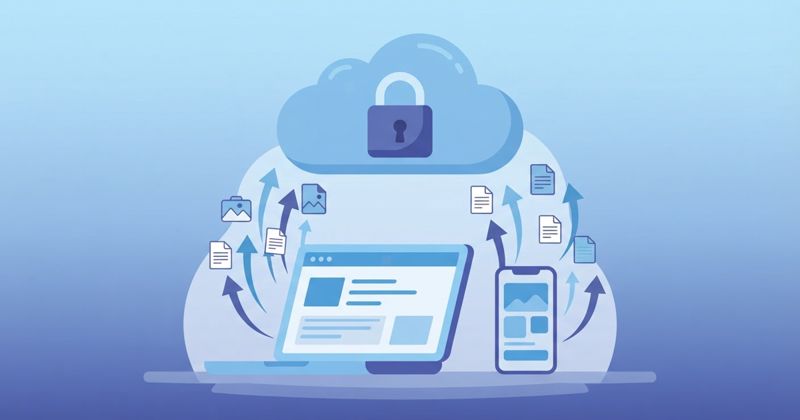
Almost everyone's photos live in exactly one place: Google or Apple. It feels safe — the backup is automatic, it's always there. But "all my memories are in one company's account" is a quiet single point of failure, and in 2026 there are good reasons to keep at least a copy of your photos outside the big ecosystems. This isn't paranoia; it's the same logic that says don't keep your only copy of anything in one place.
Why one ecosystem is a risk
Three real failure modes, none of them exotic:
- Account loss. If your Google or Apple account is suspended, hacked or locked — over a payment issue, a policy flag, a forgotten password — your photos can become unreachable overnight. People do lose years of memories this way, and support is slow.
- Subscription lock-in. Once your library outgrows the free tier, you're paying monthly forever, and the cost of leaving (downloading terabytes, finding a new home) rises the longer you stay.
- Privacy and control. Your photos are scanned, analysed and stored under terms you don't set, in regions you don't choose. For some that's fine; for others it isn't.
The fix isn't to abandon Google or Apple — it's to follow the oldest rule in backup: keep a second, independent copy somewhere you control.
What a good second home looks like
A backup outside the ecosystem should be: automatic (or you won't keep it up), cross-platform (so it survives you switching phones), affordable long-term, and ideally private. pCloud fits that brief:
- Automatic photo/video backup from the mobile app, so the second copy stays current without effort.
- Cross-platform — iOS, Android, Windows, Mac, web — so your archive isn't tied to whichever phone you own next.
- Pay-once lifetime plans (500 GB, 2 TB, 10 TB), which beats paying a monthly ecosystem fee for a decade.
- Privacy controls — choose an EU or US data region, and use zero-knowledge Crypto for sensitive photos.
How to set it up sensibly
You don't have to choose between Google/Apple and an independent copy — run both:
- Keep your existing auto-backup (Google Photos / iCloud) for everyday convenience.
- Add pCloud's auto-upload as the independent second copy in a place you own.
- For your most private photos, drop them in pCloud's Crypto folder so they're client-side encrypted.
Now an account lock, a price hike, or a decision to leave an ecosystem can't take your memories with it.
The bottom line
The point isn't that Google and Apple are bad at backup — they're good at it. The point is that one copy, inside one company's account, is fragile no matter how big that company is. Keeping a second, independent, cross-platform copy of your photos is cheap insurance against the day something goes wrong — and pCloud is one of the most practical places to keep it.