10 Useful n8n Automations for Solopreneurs and Small Teams
Ten concrete n8n workflows that quietly handle the glue-work of running a small business - from lead capture and invoice reminders to AI content triage - and how to build your first one without code.

Table of contents
- 1. Lead capture straight into your CRM
- 2. Instant "new lead" alerts
- 3. Invoice and payment reminders
- 4. Social media scheduling
- 5. Form submission to personalized email
- 6. Automatic backups
- 7. AI content triage
- 8. Review and mention monitoring
- 9. Onboarding sequences for new customers
- 10. Report roll-ups
- How to actually get started
If you run a small business or work for yourself, you already know the problem: the actual work is fine, but the glue around it eats your day. Copying a lead from a form into your CRM. Reminding a client their invoice is overdue. Posting the same update to three places. None of it is hard. All of it is time you are not billing for.
That is exactly the gap n8n is built to fill. It is an open-source, node-based automation tool where you connect apps visually — a trigger on one side, a series of actions on the other — and let it run in the background. It sits somewhere between Zapier's simplicity and a developer's flexibility, with hundreds of integrations and the option to drop in a bit of code when you need it.
Here are ten automations that are genuinely worth building, roughly in the order most small operators feel the pain.
1. Lead capture straight into your CRM
The classic. A new submission on your website form or landing page triggers a workflow that creates or updates a contact in your CRM, tags it by source, and drops a note in your team chat. No more manual copy-paste, and no leads quietly dying in an inbox.
2. Instant "new lead" alerts
Pair the workflow above with a Slack, Telegram, or email notification so whoever handles sales sees a hot lead within seconds. Speed-to-lead is one of the few things that reliably moves conversion, and this is a five-minute build.
3. Invoice and payment reminders
Connect your invoicing tool or a Google Sheet of open invoices to a scheduled workflow. Every morning n8n checks what is overdue and sends a polite reminder to the client — and a summary to you. It is the kind of chasing nobody enjoys doing and everybody forgets.
4. Social media scheduling
Draft your posts in a spreadsheet or Notion table, and let n8n publish them on a schedule across your channels. You keep editorial control in a tool you already like, and the busywork of logging into each platform disappears.
5. Form submission to personalized email
A contact form or lead magnet fires off a tailored email — not a generic autoresponder, but one that pulls in the person's name, their answers, and the right next step. You can branch the logic so a "just browsing" reply and a "ready to buy" reply go down different paths.
Try n8n free and you can wire up the first couple of these in an afternoon, without writing a line of code for most of them.
6. Automatic backups
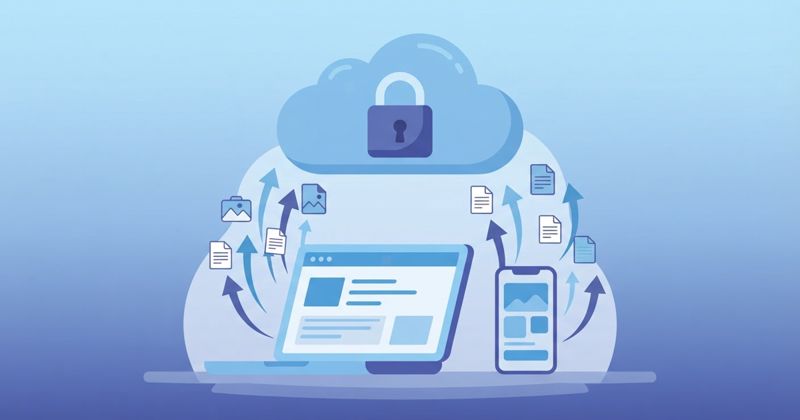
Schedule a workflow that copies your important data — a database export, key spreadsheets, uploaded files — to cloud storage on a rotation. Backups are the definition of something you should automate, because the whole point is that they happen even when you forget. If you are already thinking about owning more of your own stack, it pairs well with running your own private AI on a VPS.
7. AI content triage
This is where n8n's newer AI features shine. Route incoming emails, support tickets, or form messages through an AI step that summarizes them, tags them by intent, and drafts a suggested reply for you to approve. You stay in control; the AI just clears the first 80 percent of the sorting.
8. Review and mention monitoring
Watch for new reviews, brand mentions, or specific keywords, and pipe them into one channel. Instead of checking five platforms, you get a single daily digest — and you can flag anything negative for a fast, human response.
9. Onboarding sequences for new customers
When someone buys or signs up, trigger a sequence: create their account records, send a welcome message, add them to the right list, and schedule a check-in a week later. It makes a one-person shop feel like a company with an onboarding team.
10. Report roll-ups
Pull numbers from your store, ad accounts, and analytics into one weekly summary that lands in your inbox every Monday. No dashboards to log into, no manual exports — just the handful of metrics you actually act on.
How to actually get started
Do not try to build all ten at once. Pick the single task that annoys you most this week — usually lead capture or invoice reminders — and automate just that. Get it running, trust it for a few days, then add the next one. Automations compound: each one you build teaches you the patterns for the next.
You have two setup paths. You can self-host n8n with Docker if you like owning your infrastructure, or you can start on n8n Cloud, the managed version, and skip the server maintenance entirely. For most solopreneurs the Cloud option is the sane starting point — you are trying to save time, not acquire a second job as a sysadmin. If you later decide you want full control over your data, self-hosting is always there.
The mindset shift is the real win. Once you stop treating repetitive glue-work as "just part of the job" and start seeing each task as something you build once and never touch again, your week opens up. Start small, automate the thing you hate, and let it run.
If you are also trying to trim the tools you pay for while you are at it, it is worth reading how to cut tech subscriptions without losing the tools you actually use and steering clear of the everyday tech mistakes that quietly cost you money.